The client space

Hand something over and still know where it is

Every client I work with gets their own space. Send me work, see what I have done about it, write down how you like things done, and find it all again later. No app to download, no password to remember, and no chasing me for an update.
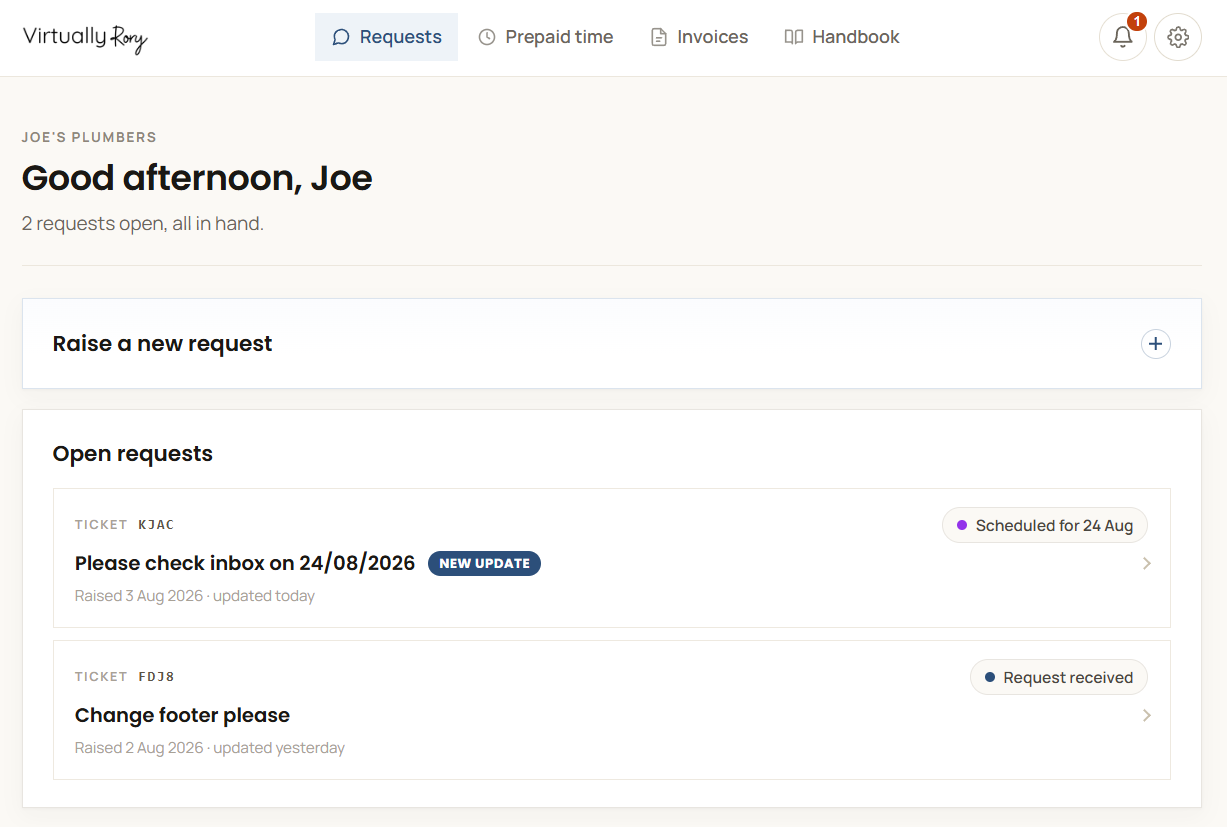
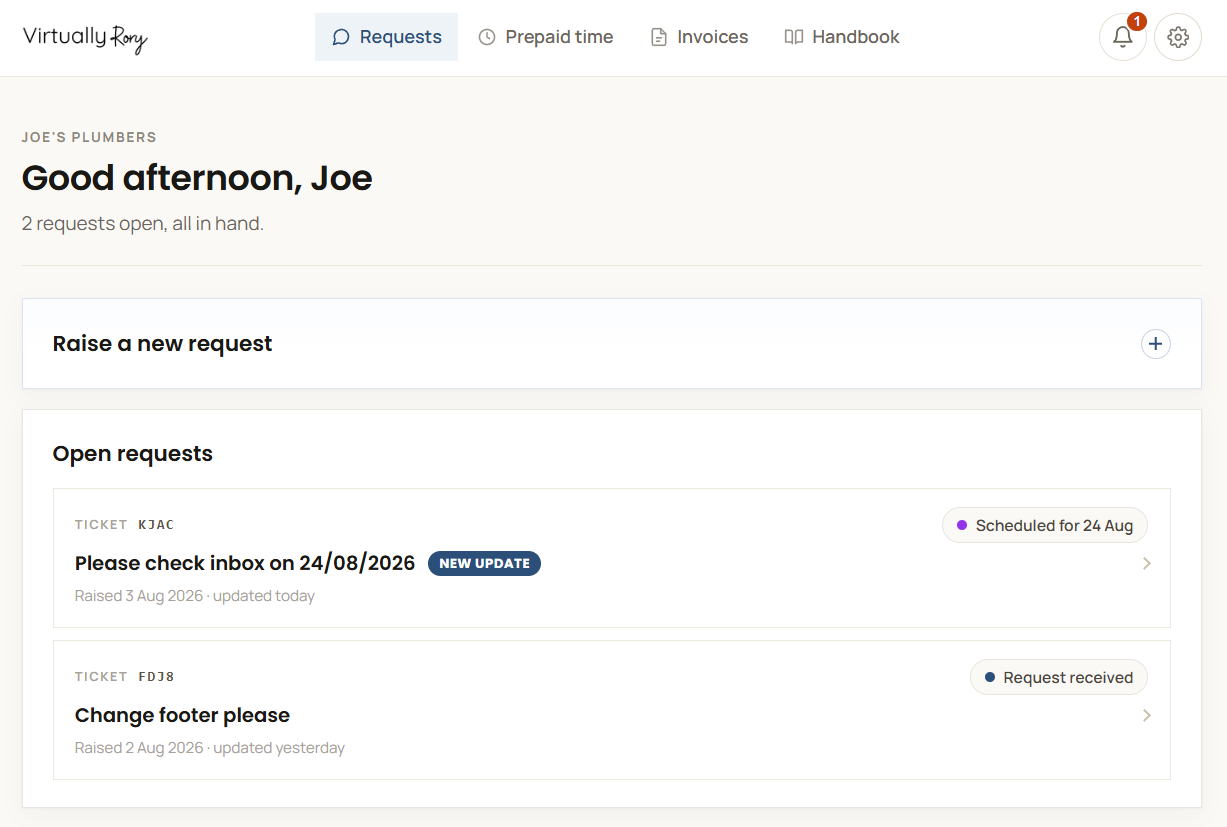
The client space showing open requests
Requests

Send me work without writing an email

Tell me what you need in your own words. A sentence is plenty. Add files if it helps. Every request gets its own reference, so months later you can still find the one you mean instead of scrolling through a thread.

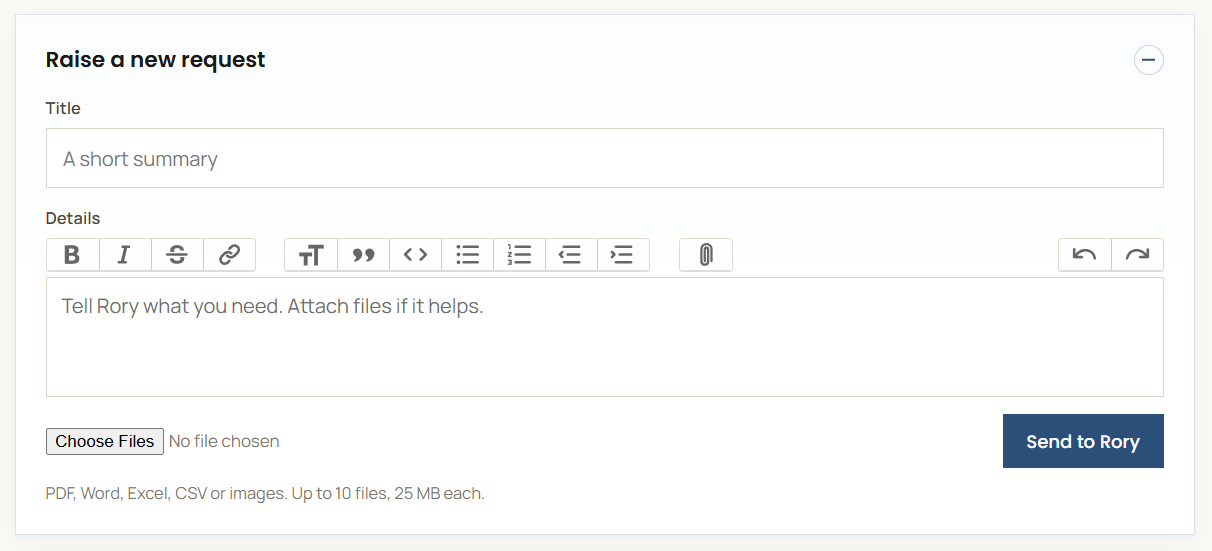
Raising a new request
A title, the detail, send. That is the whole job.
The bell

A count of what you have not seen

The bell sits at the top of your space with a number on it. That number is how many things have happened since you last looked: updates I have posted, replies to your requests, and requests that have moved status. If there is no number, there is nothing new and you can get on with your day.

The bell in the client space, showing a count of unseen updates
No number means nothing new.
What is new

Everything you have missed, in one list

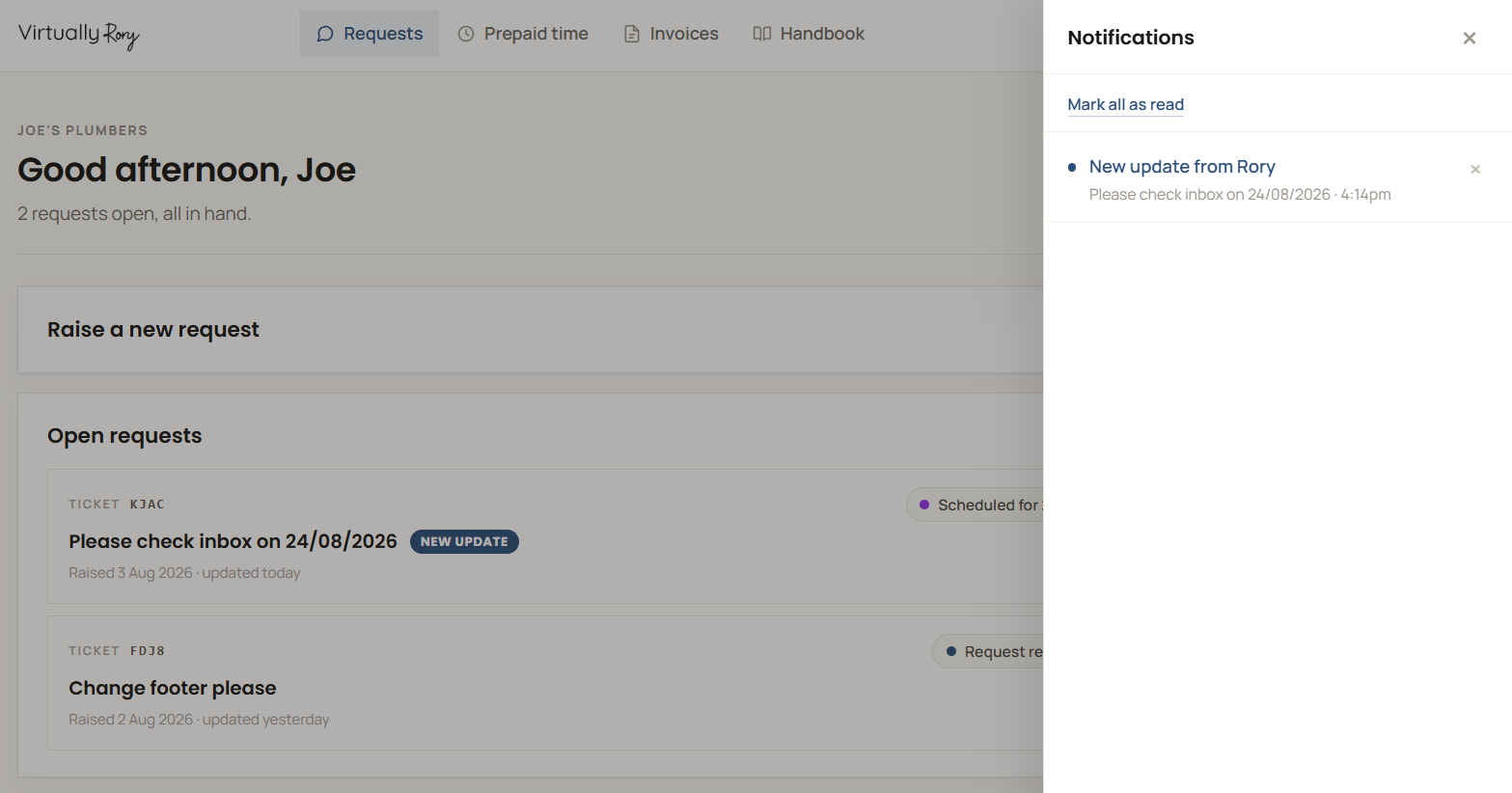
Click the bell and the panel slides out with the lot, newest first: what happened, which request it was on, and when. Click an update to open it and read it in place. Tick off a status change once you have taken it in, or clear the whole list in one go.

The notification panel, open, listing unseen updates
What happened, on what, and when.
Status

Know whose court the ball is in

Every request carries its status, so you never have to ask how it is going. There are four, and between them they always answer the same question: is this with me, or is it with you?

Being worked on
It is with me. Nothing needed from you.
Scheduled
Booked in for a date you can see.
Awaiting client
I need something from you before I can carry on.
Ready for your approval
Done, and waiting on you to look it over.
Your hours

See your prepaid hours going down

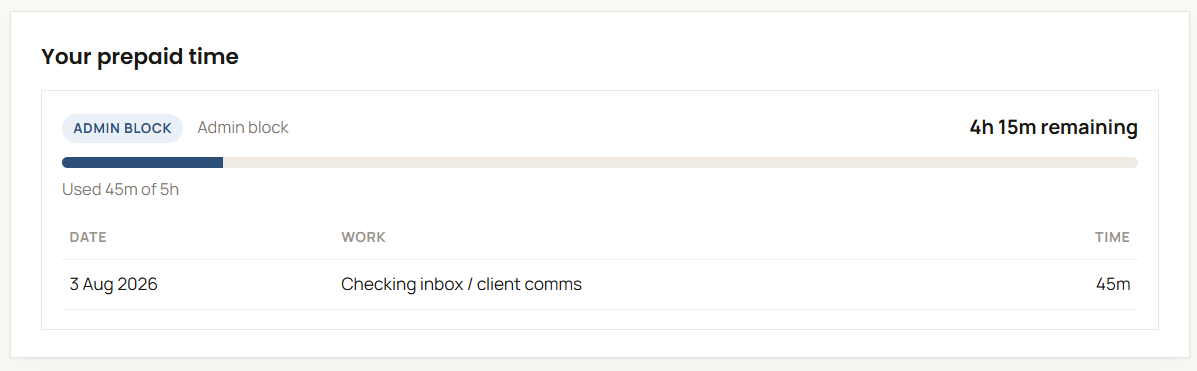
If you buy hours up front, you can see exactly what is left without emailing to ask. Every block shows what you bought, what has been used and what is still there, so there is never a surprise at the end of the month.

A prepaid hours block showing the balance remaining
Bought, used, and what is left.
Invoices

Find an invoice in seconds

Every invoice you have been sent lives here too, newest first, so when your accountant asks for one you are not digging through your inbox for it. Open any of them straight from the list.

Invoices in the client space
Everything billed, in one list.
Handbook

Tell me once, not every time

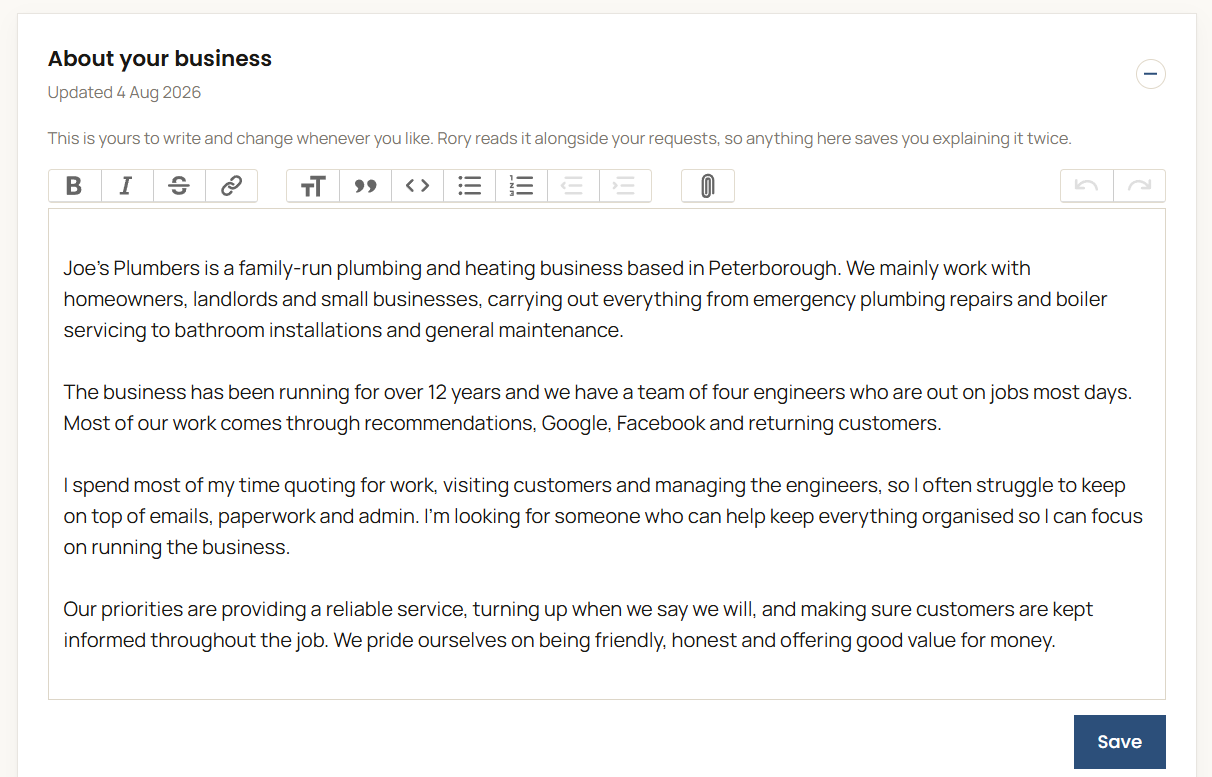
Your handbook is the part of the space you write rather than me. It opens on a page about your business: how you prefer to be contacted, who else I might deal with, the systems you use, the things that usually trip people up. I read it alongside your requests, so you are not explaining the same thing twice. Please do not put passwords in there. If I need access to something I will send you a secure way to share it.

The handbook, showing the page about your business
Write as much or as little as is useful.
Procedures

Write down how you like things done

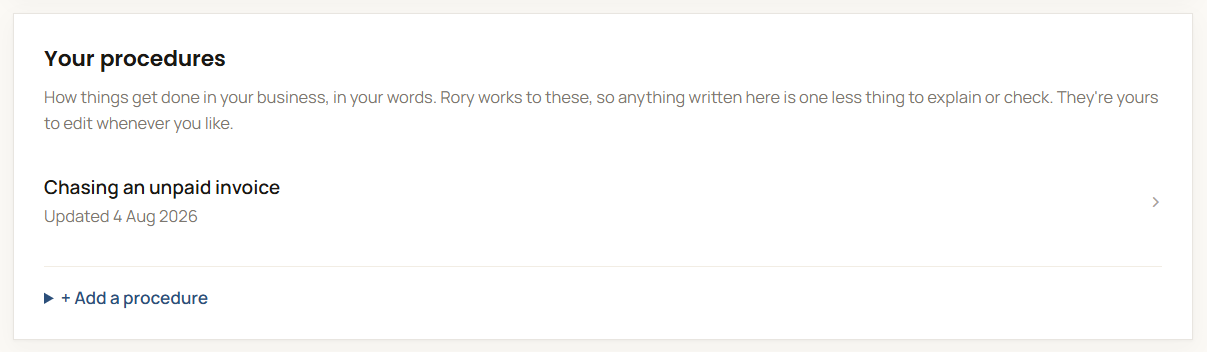
Underneath that you can add procedures: short write-ups of the things that happen over and over. How a new enquiry gets handled. How you word a chase email. What to do when a supplier goes quiet. You write them, in your words, and they stay yours to change. I work to them, so the more that is written down the less you have to check afterwards.

A procedure in the handbook
One per job, in your own words.
Settings

Decide how much you hear from me

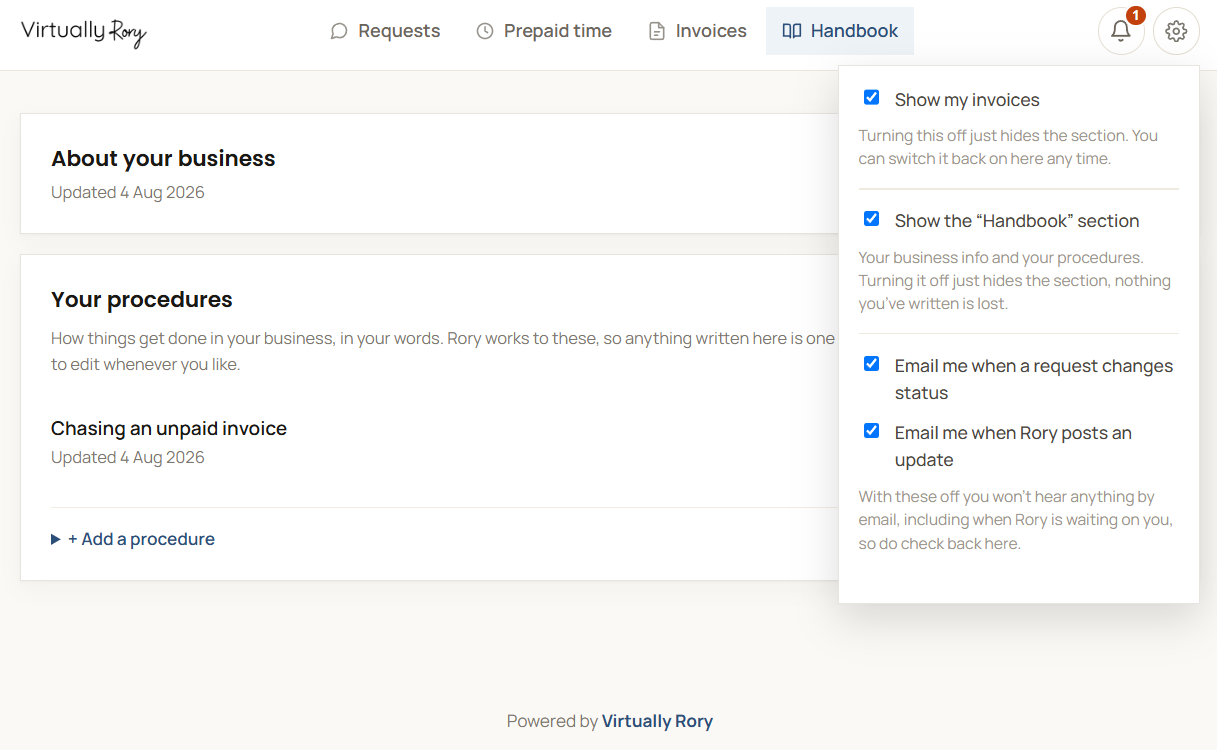
The cog is yours. Choose whether I email you about status changes and updates, and hide any section you do not use. Turn the emails off entirely and just look in when it suits. Nothing is lost either way, it only changes what lands in your inbox.

The settings panel
Changes save as you click.

The usual questions

Do I need a password?

No. You get a private link that goes straight in. Bookmark it and it is always there. If it ever needs replacing I will email you a new one.

Do I have to use it?

Not at all. Email me if you would rather. The space is there so nothing gets lost in a thread, not to make more work for you.

Will it email me constantly?

No. You choose what you hear about in your settings, and you can turn emails off entirely and just look in when it suits.

Is it extra?

No. It comes with working together, whatever you have taken on. There is nothing to set up at your end either.

Do I have to write the procedures?

No. They are there if they are useful to you, and plenty of people never touch them. Where they earn their keep is anything you would otherwise explain to me more than once, or anything you would want written down if you were away and someone else had to pick it up.

Can you write them for me?

They are yours, so I leave the writing to you. What I will do is add the title of one I think is worth having, so you are answering a question rather than facing an empty page. You can always talk it through with me first and then write it up.

What about passwords and logins?

Never through the portal. If I need access to something I will send you a secure way to share it.

Who else can see it?

Only you and me. The link is private to your business, so treat it like you would any other login and it stays that way.

What if I spot something wrong?

Reply on the request and I will pick it straight back up. If I have marked something complete and it is not right, you can re-open it.

Fancy a look?

Have a chat with me first and we will work out whether I am any use to you. No pitch, no hard sell, and you will get your own space if we go ahead.

Book a quick chat